
Chapter 1: Cybersecurity Foundations
Understand the purpose of cybersecurity, the CIA triad, assets, threats, vulnerabilities, attacks, and risk. This chapter introduces a practical way to think about security decisions before moving into specific tools and techniques.
Lab environment: Use a fictional campus portal scenario and synthetic data. For optional web practice, use only training labs explicitly provided by platforms such as PortSwigger Web Security Academy or OWASP. Never test a real website, account, or network without clear authorisation.
Learning objectives
By the end of this chapter, you should be able to:
- Explain cybersecurity and why it matters to organisations and users.
- Describe confidentiality, integrity, and availability (the CIA triad).
- Distinguish assets, threats, vulnerabilities, attacks, and security controls.
- Estimate risk using likelihood and impact.
- Identify basic controls for a fictional web application.
- Build a small risk register and explain why safe, authorised practice matters.
1. Industry scenario: protect a campus portal
Imagine a fictional campus portal used by students and faculty to view timetables, update profile details, download results, and receive announcements. The portal stores personal information and must remain available during registration and examination periods.
Potential concerns include an account being taken over, a result being changed without authorisation, or the portal becoming unavailable during a critical deadline. Cybersecurity helps reduce the likelihood and impact of these events.
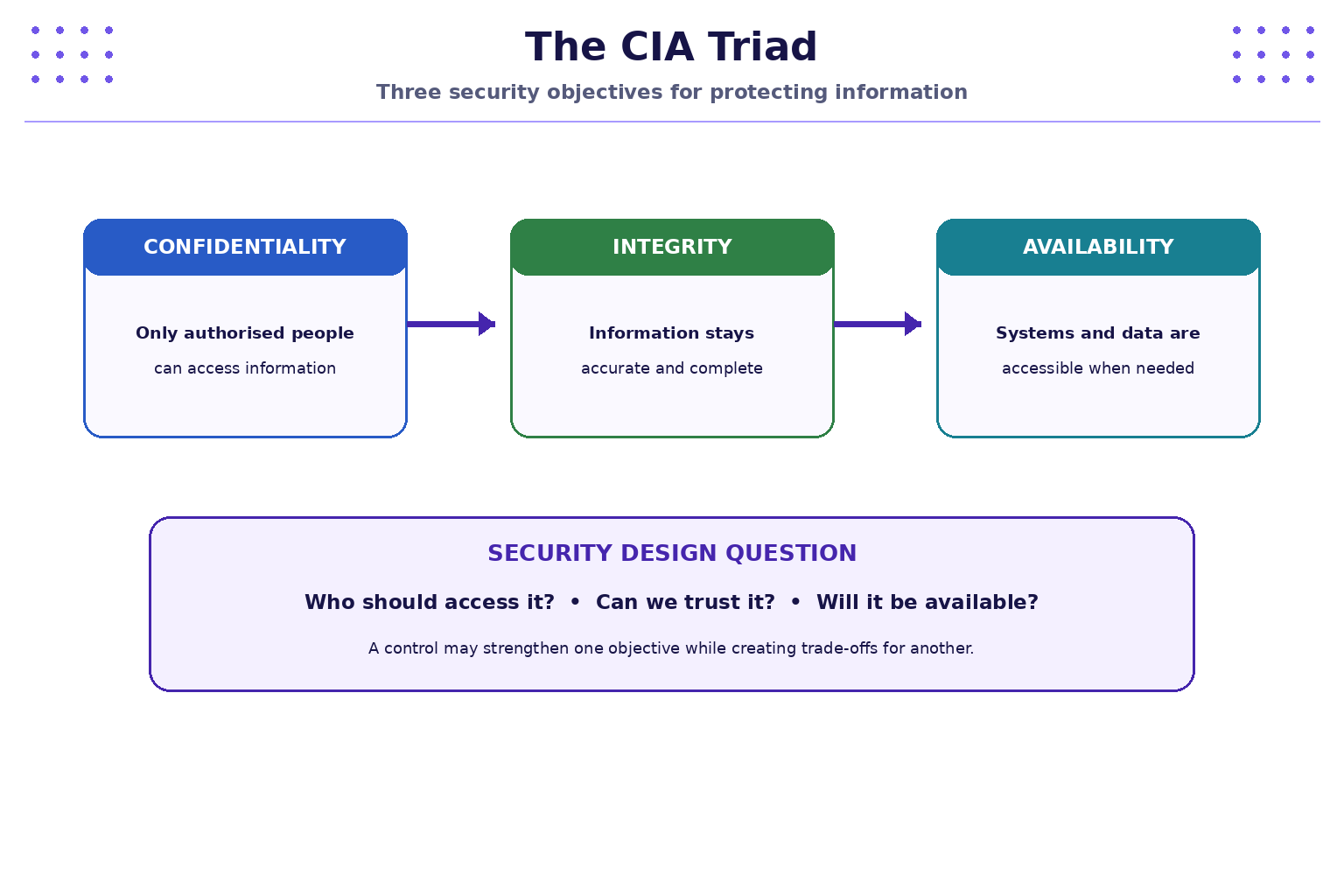
The CIA triad is a foundational model for discussing the security objectives of information and systems:
- Confidentiality: information is visible only to authorised people or systems.
- Integrity: information remains accurate, complete, and changed only in authorised ways.
- Availability: systems and information are accessible when authorised users need them.
A single incident can affect more than one objective. For example, an attacker who takes over a staff account may expose confidential records and alter data.
2. Understand the core security terms
These terms are related, but they do not mean the same thing.
| Term | Meaning | Campus portal example |
|---|---|---|
| Asset | Something valuable that needs protection | Student records, login service, database |
| Threat | A potential cause of harm | Phishing, malicious software, accidental deletion |
| Vulnerability | A weakness that could be exploited | Weak password policy, missing access check |
| Attack | An attempt to exploit a weakness | Using stolen credentials to sign in |
| Control | A safeguard that reduces likelihood or impact | MFA, access checks, backups, monitoring |
| Risk | The possibility of loss when a threat affects an asset | Student data exposed after account takeover |
A threat does not automatically mean that a system is vulnerable, and a vulnerability does not guarantee that an attack will succeed. Risk assessment considers the context and possible consequences.
3. Threat, vulnerability, and risk
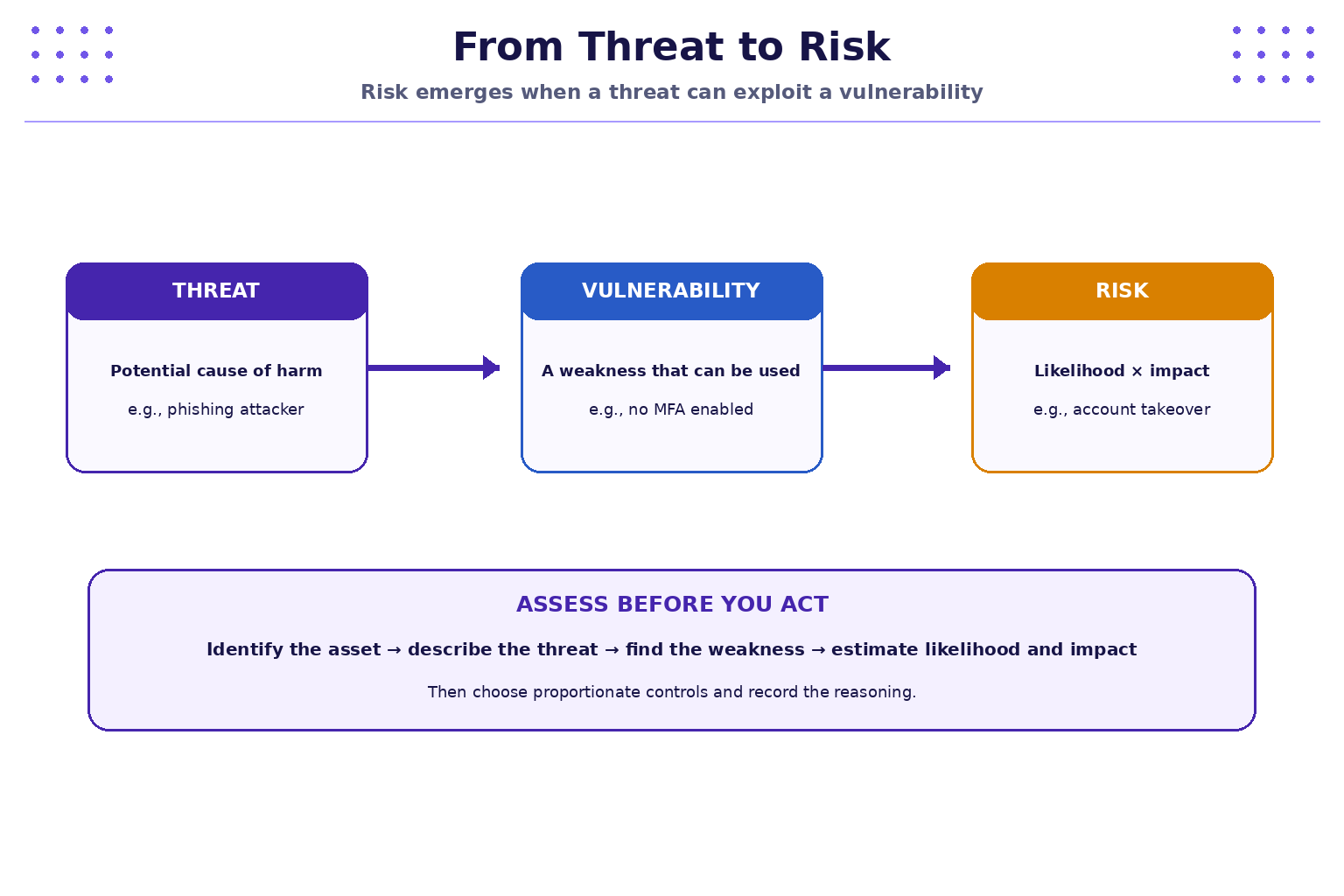
A useful introductory model is:
Risk score = Likelihood × Impact
For a simple classroom exercise, rate likelihood and impact from 1 (low) to 5 (high). Multiply the values to produce a score from 1 to 25. This is a learning aid, not a universal industry standard; organisations may use different scales and assessment methods.
| Score | Suggested classroom interpretation |
|---|---|
| 1–4 | Low |
| 5–9 | Moderate |
| 10–15 | High |
| 16–25 | Very high |
Example: if account takeover has likelihood 4 and impact 5, the score is (4 \times 5 = 20), which falls in the very-high band in this classroom scale. The score helps prioritise discussion; it does not replace professional judgement.
4. Common threat categories
| Threat category | Example | Possible consequence |
|---|---|---|
| Social engineering | A fake IT email asks a student to sign in | Credentials may be stolen |
| Credential attack | An attacker tries reused or weak passwords | Unauthorised account access |
| Malware | A user runs an untrusted attachment | Device or data compromise |
| Misconfiguration | A database is exposed beyond its intended audience | Unauthorised data access |
| Application weakness | A server does not verify a user's permission for a record | Data may be viewed or changed improperly |
| Denial of service | A service receives more traffic than it can handle | Legitimate users cannot access it |
| Human error | A report is sent to the wrong recipient | Unintended disclosure |
These are illustrative scenarios. Actual impact depends on the system, safeguards, and operating context.
5. Security controls: reduce likelihood or impact
Controls can be grouped in several ways. A practical starting point is to ask whether a control helps prevent an incident, detect it, or support recovery.
| Control type | Examples | Purpose |
|---|---|---|
| Preventive | MFA, least privilege, secure configuration | Reduce the chance of an incident |
| Detective | Audit logs, alerts, monitoring | Help identify suspicious activity |
| Corrective / recovery | Tested backups, recovery procedures, patching | Limit damage and restore service |
| Administrative | Policies, staff training, incident procedures | Establish consistent behaviour and responsibilities |
Controls work best in layers. MFA, for example, can reduce the usefulness of a stolen password, while monitoring may help identify suspicious sign-ins and recovery procedures help restore access.
6. Practical exercise: build a small risk register
Use the fictional campus portal. Do not use real student records or real credentials.
Create a table with the following columns:
| Asset | Threat | Vulnerability | Likelihood (1–5) | Impact (1–5) | Score | Proposed control |
|---|---|---|---|---|---|---|
| Student accounts | Phishing | Users may trust fake sign-in requests | 4 | 4 | 16 | Awareness training, MFA |
| Result records | Unauthorised modification | Permission checks may be incomplete | 2 | 5 | 10 | Server-side authorisation and audit logs |
| Portal service | Service outage | Recovery plan may be untested | 3 | 4 | 12 | Monitoring, backups, recovery tests |
These example scores are illustrative. Discuss whether you would rate likelihood differently and explain why. The important part is to record the reasoning, not just the number.
Steps
- Choose one asset from the fictional portal.
- Describe one plausible threat.
- Identify a weakness that could make the threat more likely to succeed.
- Rate likelihood and impact from 1 to 5.
- Multiply the ratings and write down the score.
- Propose a control and state whether it prevents, detects, or helps recover from the incident.
- Reassess the risk after the control. Explain any remaining risk.
7. Safe security assessment workflow
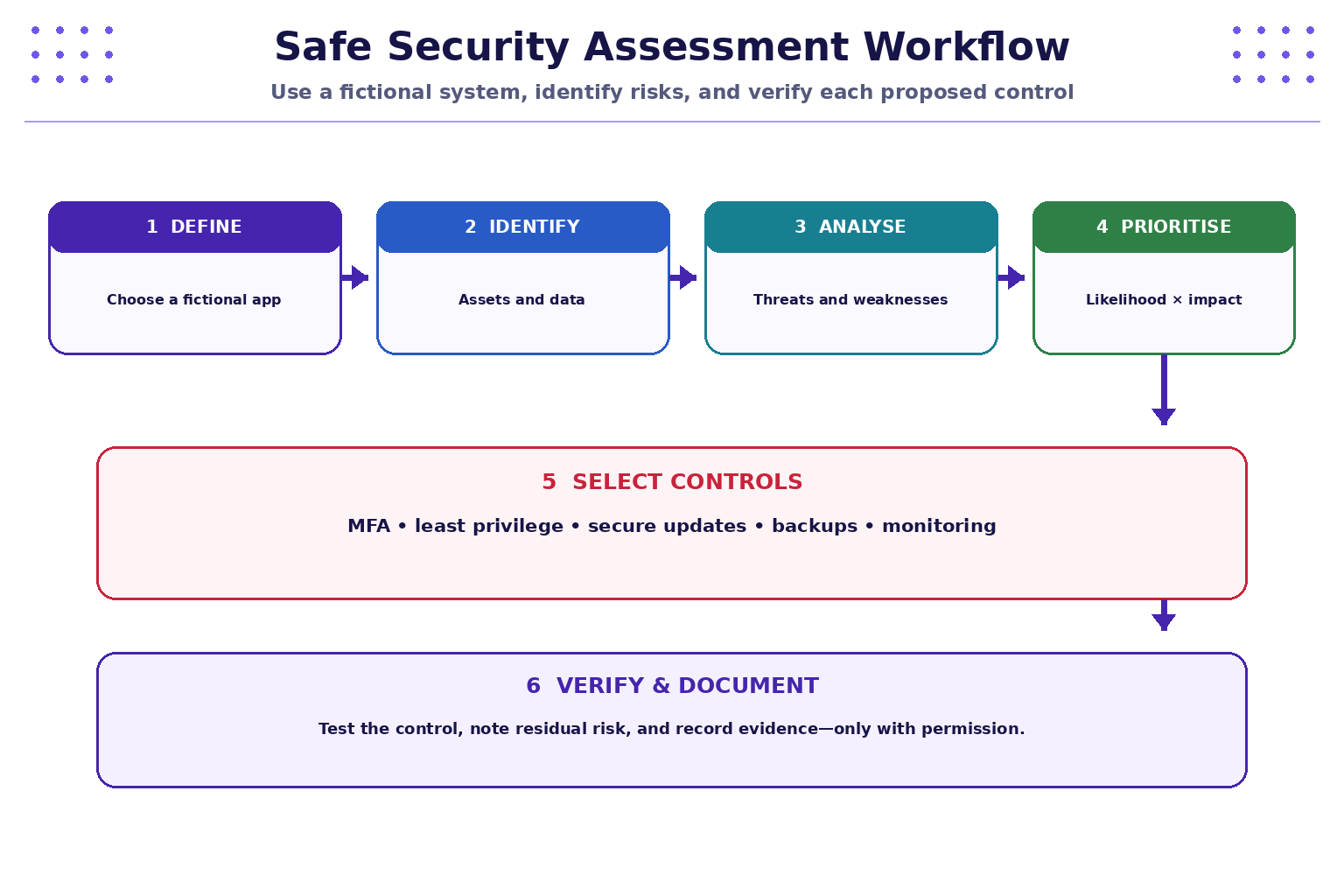
Use this sequence when starting a security review:
- Define scope: identify the system and what you are allowed to assess.
- Identify assets: determine which data, accounts, services, and business functions matter.
- Identify threats and weaknesses: consider realistic ways an asset could be harmed.
- Prioritise risk: estimate likelihood and impact, and explain your assumptions.
- Select controls: choose proportionate safeguards.
- Verify and document: check whether the control works and record remaining risk.
For this chapter, use discussion, diagrams, and fictional examples. Later practical chapters can use approved training environments. A publicly accessible website is not automatically authorised for testing.
8. Optional guided learning resources
Use these resources for learning, and stay within their designated training environments:
- PortSwigger Web Security Academy: https://portswigger.net/web-security — structured web-security learning and interactive labs.
- OWASP Top 10: https://owasp.org/www-project-top-ten/ — an awareness document describing important web application security risk categories.
- OWASP WebGoat: https://owasp.org/www-project-webgoat/ — an intentionally insecure application designed for guided learning.
The chapter does not require attacking or scanning any external target. Follow the platform instructions and your instructor's guidance.
9. Troubleshooting and safe practice
- A risk score seems subjective: record the assumptions behind likelihood and impact; different teams may reasonably assess them differently.
- A threat and vulnerability seem identical: a threat is a potential cause of harm; a vulnerability is a weakness that may be exploited.
- One control does not eliminate the risk: consider layered controls and record residual risk.
- A website is publicly available: public access does not grant permission to test it.
- You need realistic data for a demo: create synthetic names and records; do not expose real personal data, passwords, tokens, or private information.
- A control affects usability: document the trade-off and look for a proportionate design rather than silently removing the safeguard.
Safety rule: only assess systems you own or have explicit permission to test. Do not attempt to access other users' accounts, bypass access controls, disrupt services, or collect real credentials.
10. Quick reference
| Concept | Question to ask |
|---|---|
| Confidentiality | Who is allowed to see this information? |
| Integrity | How do we know this information is accurate and authorised? |
| Availability | Can authorised users access the service when needed? |
| Asset | What are we trying to protect? |
| Threat | What could cause harm? |
| Vulnerability | What weakness could be exploited? |
| Control | What safeguard reduces likelihood or impact? |
| Risk | How likely is the event, and how serious would it be? |
| Scope | What are we explicitly permitted to assess? |
| Residual risk | What risk remains after controls are applied? |
11. Knowledge check — MCQs
Choose the best answer for each question.
1. Which CIA objective focuses on preventing unauthorised disclosure of information?
A. Availability
B. Confidentiality
C. Integrity
D. Recovery
2. In security terminology, what is a vulnerability?
A. A valuable system or data set
B. A potential cause of harm
C. A weakness that could be exploited
D. A control that prevents all incidents
3. A portal is unavailable during examination registration. Which CIA objective is most directly affected?
A. Availability
B. Confidentiality
C. Integrity
D. Authentication
4. Using the classroom model, what is the risk score when likelihood is 3 and impact is 4?
A. 7
B. 12
C. 34
D. 1
5. Which is an example of a detective control?
A. Monitoring and security alerts
B. Disabling all user accounts
C. Publishing a password
D. Removing backups
6. What should you do before testing a website's security?
A. Assume public websites are open for testing
B. Try a few attacks without notifying anyone
C. Confirm that you own the system or have explicit authorisation and a defined scope
D. Collect real user credentials to make the test realistic
Answers and explanations
- B — confidentiality concerns access and disclosure of information.
- C — a vulnerability is a weakness that may be exploited by a threat.
- A — availability means authorised users can access the service when needed.
- B — (3 \times 4 = 12).
- A — monitoring and alerts help detect suspicious or unexpected activity.
- C — security testing must be authorised and limited to an agreed scope.
Key takeaways
- Cybersecurity protects information and systems from unauthorised access, change, disruption, and other harm.
- Confidentiality, integrity, and availability are three foundational security objectives.
- Assets, threats, vulnerabilities, attacks, controls, and risks are related but distinct concepts.
- A simple likelihood-times-impact model helps prioritise classroom risk discussions.
- Layered preventive, detective, and recovery controls help reduce risk.
- Use synthetic data and authorised training environments; never assume that a public website is available for testing.
Next chapter
Chapter 2: Passwords, MFA, Phishing, and Account Protection — learn how credentials are attacked, how multi-factor authentication helps, and how to recognise suspicious sign-in requests.