
Chapter 6: Software Installation, Package Management, and Updates
Learn how Linux distributions organise software into packages, how package managers use repositories and dependency metadata, and how to inspect software and updates safely. The practicals focus on trusted sources, read-only queries, and understanding the change before applying it.
Lab environment: Ubuntu on WSL 2, an Ubuntu virtual machine, or an approved browser terminal. Package-management commands vary by distribution. The examples in this chapter use Debian/Ubuntu's APT tools. Do not run system-wide installs or upgrades in a shared terminal unless the instructor has explicitly authorised them.
Learning objectives
By the end of this chapter, you should be able to:
- Explain packages, repositories, package managers, and dependencies.
- Distinguish software installation from package metadata queries.
- Search for a package and inspect its details using APT.
- List installed packages and understand package versions.
- Explain why repository trust and signature verification matter.
- Describe a safe update workflow, including verification and recovery planning.
- Recognise why adding unknown repositories or blindly removing packages is risky.
1. Industry scenario: keep software secure and supportable
A Linux server uses application packages and system libraries. A team needs to find a command-line tool, check its version, and plan security updates. The administrator must use trusted repositories, understand dependencies, review proposed changes, and verify the system after an approved update.
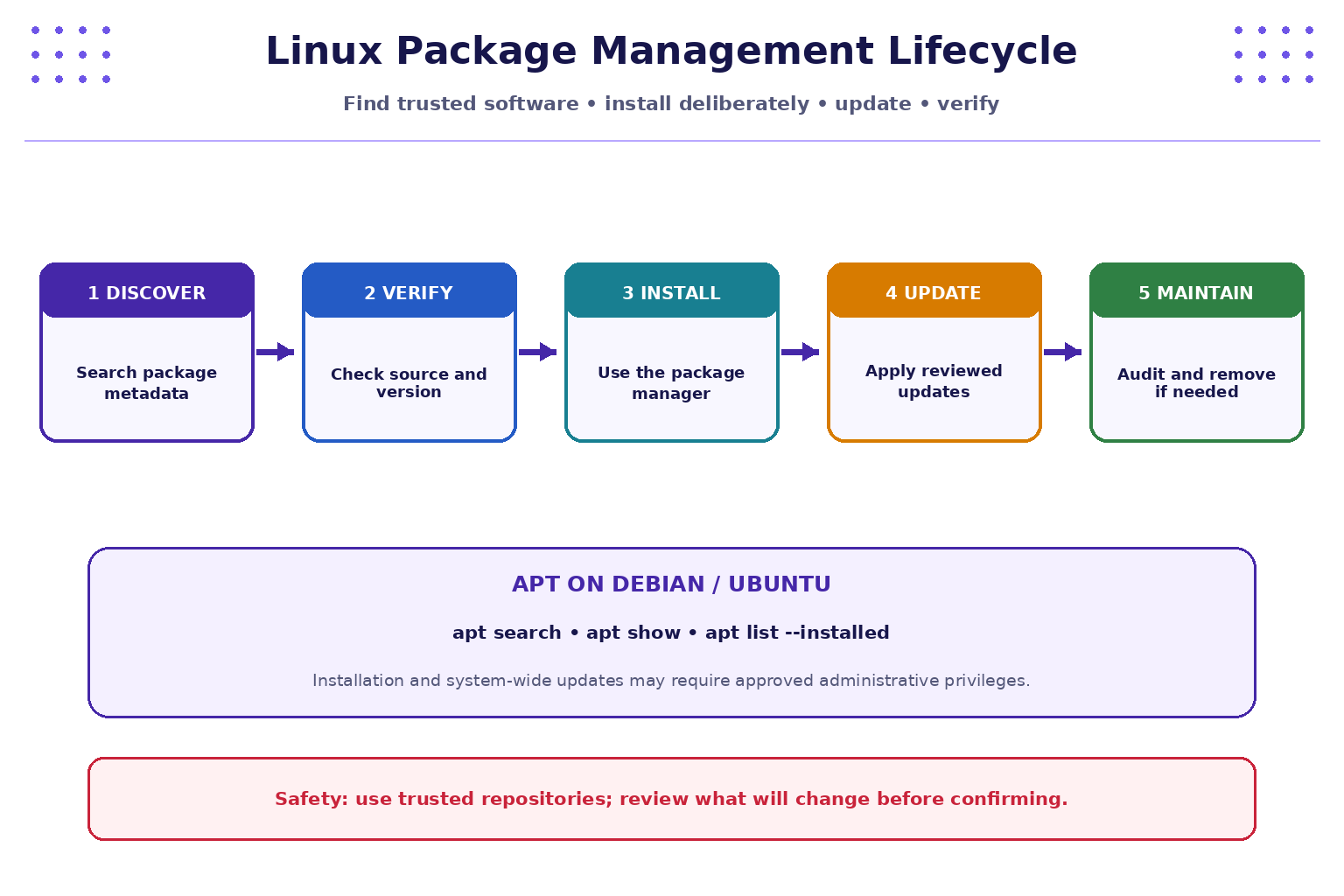
A package manager helps track installed software and its dependencies, but it does not remove the need for judgement. A trusted source, a reviewed change, and a recovery plan are part of safe system administration.
2. Quick reference: APT package commands
The commands below are for Debian/Ubuntu-family systems. Other distributions may use dnf, yum, zypper, or pacman, with different syntax and repository models.
| Command | Brief description | Common options / notes | Simple examples |
|---|---|---|---|
apt search TERM |
Search available package metadata. | Search terms may match names and descriptions. | apt search tree |
apt show PACKAGE |
Display package details from available metadata. | Package must be known to the configured package sources. | apt show tree |
apt list --installed |
List packages currently installed. | Output may be long. | apt list --installed |
dpkg -l |
List packages known to dpkg and their states. | Filter with grep for a known package name. |
dpkg -l | grep '^ii' | head |
dpkg -s PACKAGE |
Show installed package status/details. | Returns information only if package is known/installed. | dpkg -s bash |
apt policy PACKAGE |
Show installed/candidate versions and source priorities. | Available on common APT systems. | apt policy bash |
apt list --upgradable |
List packages for which updates are available based on current metadata. | Metadata may need refreshing to be current. | apt list --upgradable |
apt update |
Refresh local package-index metadata. | Does not itself upgrade installed packages; typically requires privileges. | Run only in an authorised environment. |
apt upgrade |
Upgrade installed packages according to APT's plan. | System-changing; review proposed changes first. | Use only in a disposable/approved VM. |
apt install PACKAGE |
Install a package and dependencies. | System-changing; typically requires privileges. | sudo apt install tree only if explicitly authorised. |
apt remove PACKAGE |
Remove a package while generally retaining configuration files. | System-changing; review the proposed changes. | Do not use in this introductory lab. |
apt autoremove |
Suggest/remove packages marked as no longer required. | Can remove components; review carefully. | Do not run blindly. |
apt list --manual-installed |
List packages marked as manually installed. | APT version support may vary. | apt list --manual-installed |
man apt |
Read APT manual documentation. | Available if man pages are installed. | man apt |
apt --help |
Display brief usage help. | Safe query. | apt --help |
Important: apt update changes local package metadata, and install/upgrade/remove operations change system state. In shared browser terminals, do not attempt privileged operations. The labs below can be completed with search and inspection commands alone.
3. Packages, repositories, and dependencies
- Package: a structured bundle containing software files and metadata used by the distribution's package system.
- Package manager: tool that queries, installs, updates, and removes packages while tracking dependencies.
- Repository: a configured source of package metadata and package files.
- Dependency: another package or component required for a package to work.
- Installed version: the version currently present on the system.
- Candidate version: the version the package manager currently considers a candidate based on configured sources and policy.
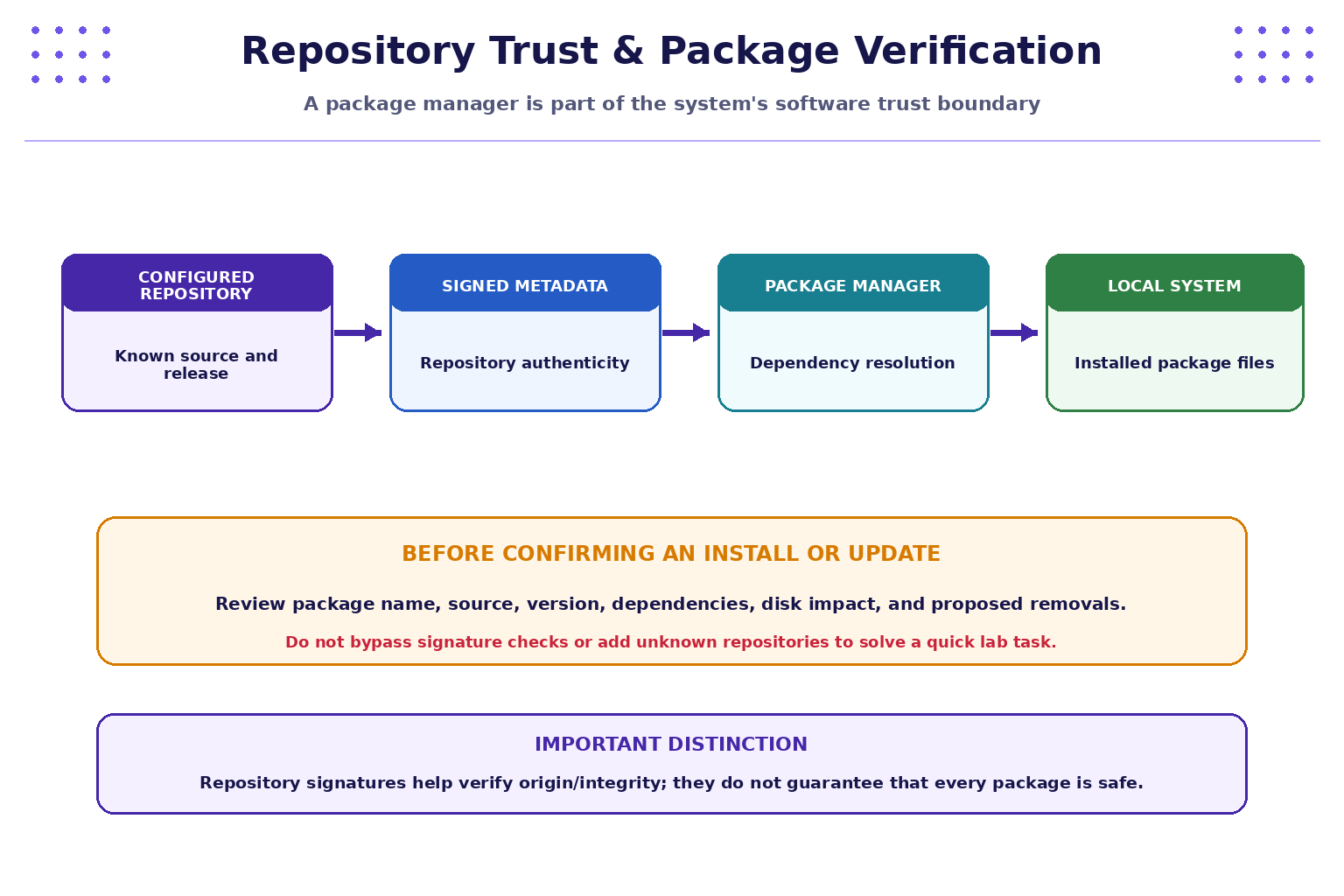
A package manager resolves dependencies and uses repository metadata to determine which package versions are available. Repository configuration and signature checks are important parts of the software supply chain. A valid signature helps establish origin and integrity; it does not prove that the software has no bugs or vulnerabilities.
4. Practical lab A — search and inspect packages
Run these read-only queries on a Debian/Ubuntu system with APT:
apt search tree
apt show tree
apt policy bash
dpkg -s bash
If a package is unavailable in your configured metadata, try a common installed package such as bash or coreutils. Results depend on the system's configured repositories and package-index state.
Answer:
- Which command searched the package catalogue?
- Which command showed package description and dependency details?
- What is the difference between an installed version and a candidate version?
- Which repository/source is shown for the candidate, if any?
- Why should you avoid installing a similarly named package from an unknown source?
5. Practical lab B — inspect installed and upgradable packages
Run:
apt list --installed | head
dpkg -l | grep '^ii' | head
apt list --upgradable
The head command limits output for classroom use. The list of upgradable packages may be empty, or metadata may be stale. Do not infer that the system is fully patched from one output alone.
Complete the worksheet:
| Question | Your notes |
|---|---|
| Name one installed package | |
| What version is installed? | |
| Is an update candidate shown? | |
| What evidence would you need to assess whether an update is security-relevant? | |
| Why should update metadata and source configuration be considered? |
Do not paste a full package inventory from a work or production machine into public channels; it may reveal operational details.
6. Safe installation and update planning
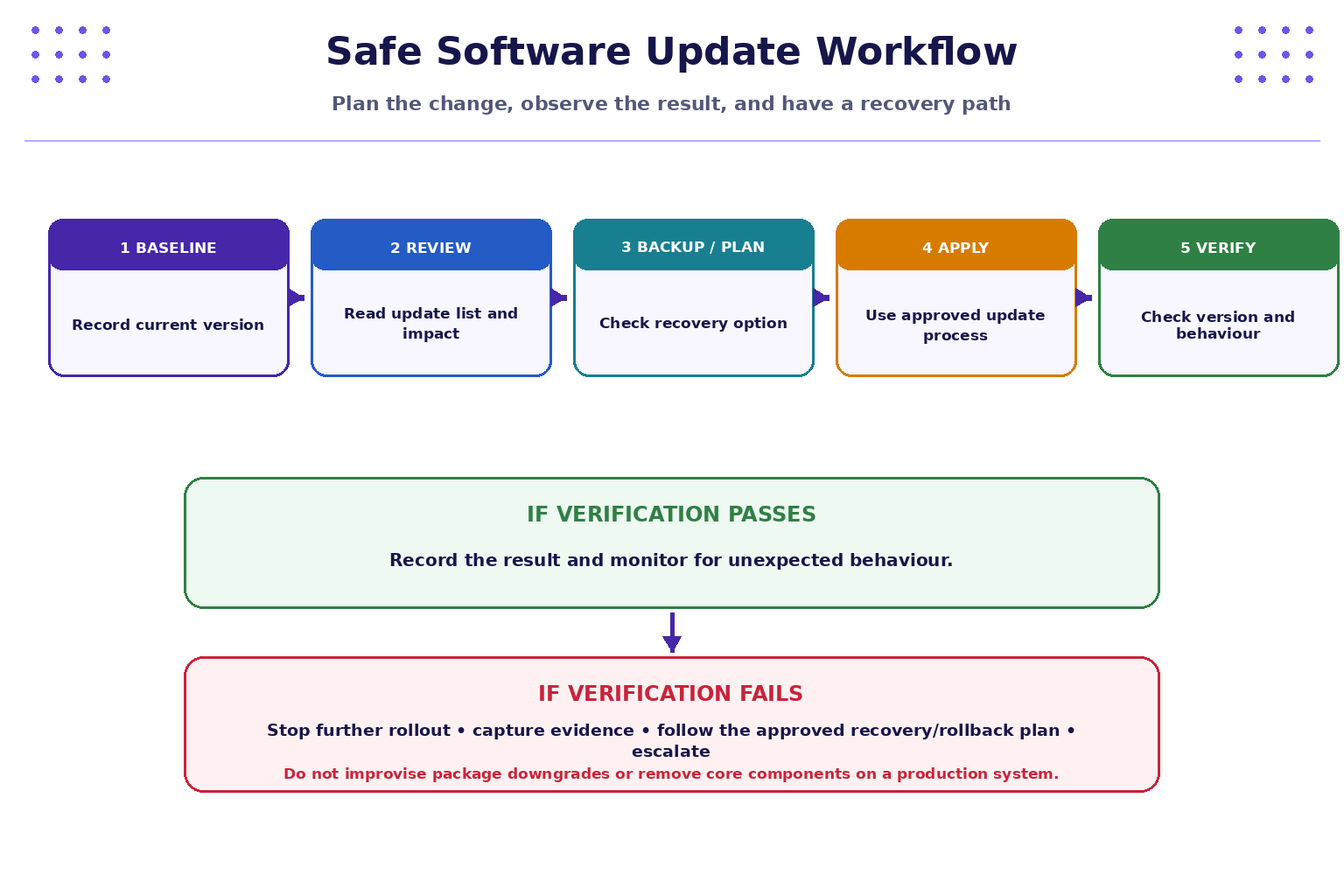
Before changing a system, follow a controlled workflow:
- Baseline: record the current package version and relevant service/application behaviour.
- Review: inspect the package source, candidate version, dependencies, and proposed changes.
- Plan recovery: confirm backups, snapshots, rollback/recovery options, and maintenance expectations where relevant.
- Apply: use the organisation's approved package-management procedure.
- Verify: check versions, service health, logs, and application behaviour.
- Document: record the change, approval, outcome, and any follow-up.
On a disposable Ubuntu VM, an instructor may demonstrate an authorised update sequence. Review what each command does before running it:
sudo apt update
apt list --upgradable
sudo apt upgrade
These commands are shown for explanation only. They refresh package metadata and may modify the system. Do not execute them on a shared browser terminal or production host without explicit authorisation. Do not automatically answer “yes” to a proposed change without reviewing the package list and impact.
7. Practical lab C — package risk review
Use this fictional scenario:
A developer needs a command-line utility. A search result suggests a package with a similar name hosted by an unfamiliar repository. The system also reports several available updates.
Complete the review:
| Review item | Your decision / notes |
|---|---|
| What is the exact package name required? | |
| Is it available from the configured trusted repository? | |
What does apt show PACKAGE report? |
|
What does apt policy PACKAGE say about candidate version/source? |
|
| What dependencies or removals are proposed? | |
| What is the recovery plan before a system-changing operation? | |
| What will you verify afterwards? |
Do not add the unfamiliar repository or install the package for this exercise. The task is to practise assessing trust and change risk.
8. Practical lab D — update approval checklist
Imagine a team plans to update a server package. Check each item before approval:
- The system owner and purpose are known.
- The package comes from an approved repository.
- Current and candidate versions are recorded.
- Dependencies and proposed removals have been reviewed.
- Security relevance and operational impact are understood.
- A suitable backup, snapshot, or recovery plan exists where required.
- The change window and approval are documented.
- A verification plan covers package version and application/service behaviour.
- A rollback or escalation path is understood.
- The outcome will be documented.
Choose the three most important checks for a critical production server and explain your choices.
9. Troubleshooting
aptcommand not found: the environment may not be Debian/Ubuntu-based or may be deliberately minimal. Identify the distribution before choosing a package manager.- Package not found: check spelling, configured repositories, package metadata, and distribution release. Do not immediately add an unknown source.
- No upgradable packages shown: the metadata may be current or stale, or no updates may be available from configured sources. Confirm update policy and source freshness.
- Permission denied: package changes generally require administrative privileges. In a restricted terminal, stop and use query-only exercises.
- APT proposes removing packages: do not confirm automatically. Review the complete change plan and ask the instructor/system owner if unsure.
- Update fails: record the exact error and context; do not delete package databases or force package operations as a first response.
- Signature or repository errors: treat them as trust/configuration issues. Do not bypass signature verification to make the installation proceed.
10. Quick command recap
| Task | Command |
|---|---|
| Search package catalogue | apt search tree |
| Inspect package metadata | apt show tree |
| Check installed/candidate version | apt policy bash |
| Check installed package details | dpkg -s bash |
| List installed packages | apt list --installed | head |
| List packages with updates available | apt list --upgradable |
| List installed dpkg entries | dpkg -l | grep '^ii' | head |
| Read APT help | apt --help |
| Read APT manual | man apt |
11. Knowledge check — MCQs
1. What is a Linux package repository?
A. A running process
B. A configured source of package metadata and software packages
C. A directory permission bit
D. A process ID
2. Which command searches package metadata on Debian/Ubuntu?
A. apt search TERM
B. ps aux
C. df -h
D. whoami
3. What does apt update do?
A. Automatically upgrades every installed package
B. Refreshes local package-index metadata
C. Deletes old log files
D. Changes every user's permissions
4. Why should proposed package removals be reviewed before confirming an upgrade?
A. They may affect dependencies or system functionality
B. Package managers never use dependencies
C. Removal always improves security
D. It changes the current username
5. What does a valid repository signature help establish?
A. The package has no vulnerabilities
B. The package source/origin and integrity checks are consistent with the repository's signing setup
C. The software is guaranteed to be bug-free
D. The system has enough disk space
6. What is the safest response to a repository signature error?
A. Disable signature checks immediately
B. Add any mirror found online
C. Stop and investigate repository configuration and trust
D. Delete the package database
Answers and explanations
- B — repositories provide package metadata and package files.
- A —
apt searchqueries package metadata. - B —
apt updaterefreshes package indexes; it does not itself upgrade installed packages. - A — package removals can affect dependencies and services.
- B — signatures support authenticity/integrity verification but do not guarantee software quality.
- C — signature errors should be treated as trust/configuration issues, not bypassed.
Key takeaways
- Use the package manager appropriate to the Linux distribution.
- APT can search, inspect, list, and report candidate package versions.
- Repositories and signature verification form part of the software trust boundary.
- Updates and installs are controlled changes, not commands to run blindly.
- Review sources, dependencies, removals, recovery plans, and verification steps.
- In restricted lab environments, complete read-only package queries rather than attempting privileged changes.
Next chapter
Chapter 7: Storage, Filesystems, Mounts, and Disk Usage — learn how Linux organises storage, inspect mounted filesystems, and investigate disk usage safely.