
Chapter 14: Releases, Automation and Repository Security
Practical focus: Deliver changes consistently and protect the repository.
Learning objectives
By the end of this chapter, you should be able to:
- Explain tags, releases and CI checks.
- Review basic repository protection practices.
- Respond safely to exposed credentials.
1. Why this topic matters
Tags and releases identify delivered versions; automation can run checks; repository security practices reduce the chance of leaking secrets or merging unsafe changes.

2. Core concepts
Releases and tags
A tag marks a point in history; a release can package notes and assets around a version. Follow the project's versioning and release policy, and do not publish a release without required checks and approvals.
Automation
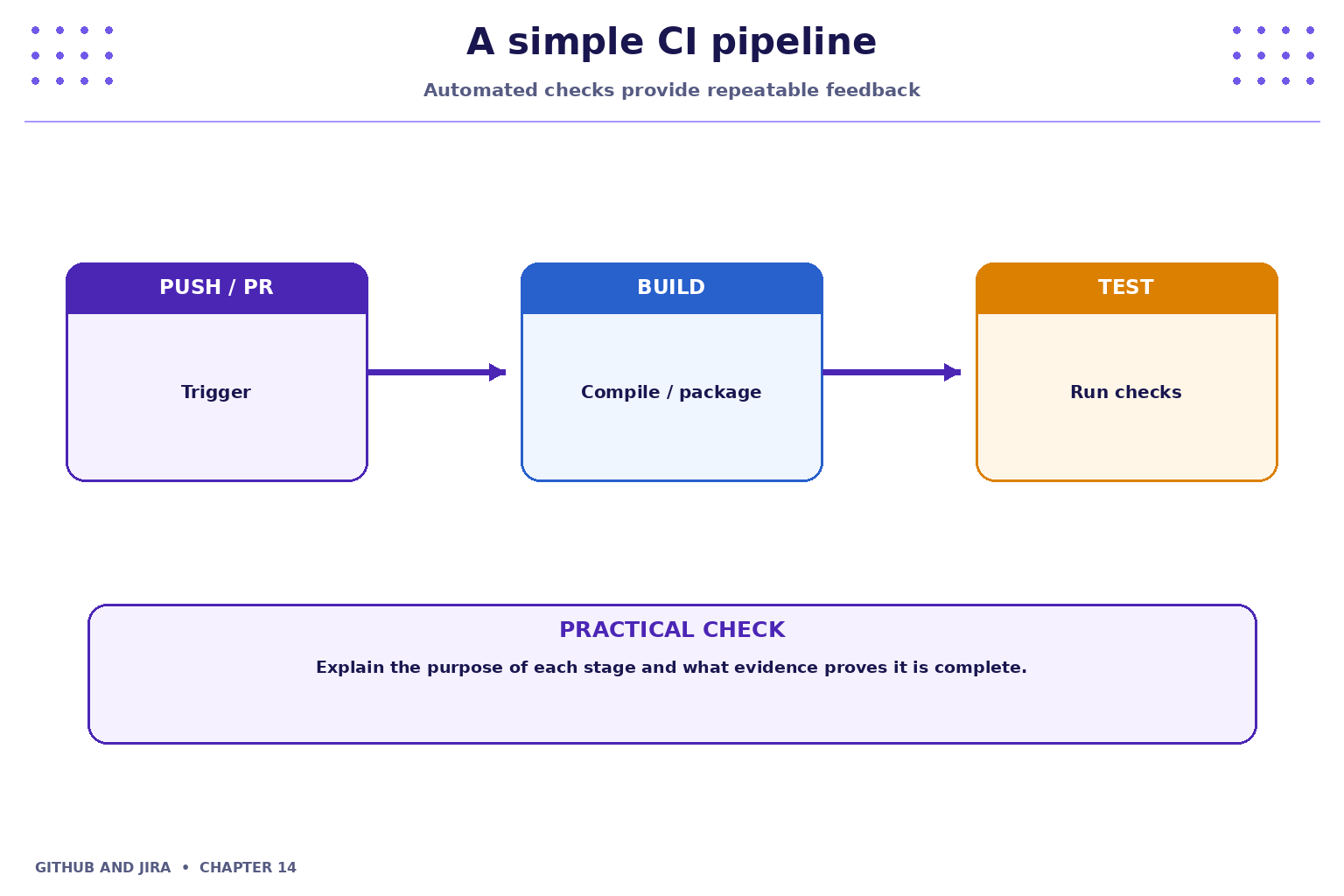
Continuous integration can run builds, tests, linters or security checks on pushes and pull requests. A failing check is evidence to investigate, not a reason to bypass policy automatically.
3. Practical model
Use least privilege, branch protection where available, dependency review and secret scanning where configured. Never commit credentials. If a secret is exposed, follow the organisation's incident process and rotate/revoke it; deleting the visible line alone may not remove it from history.

4. Industry scenario
Scenario: a team is delivering a small feature for a fictional Student Task Tracker. Tags and releases identify delivered versions; automation can run checks; repository security practices reduce the chance of leaking secrets or merging unsafe changes.
5. Hands-on lab
Use only your own practice repository and the approved Jira project. Do not use production code, credentials or personal data.
- Inspect the checks shown on a sample pull request and interpret a passing and failing result.
- Draft release notes for a fictional version, including key changes and known limitations.
- Review a repository for safe visibility, access,
.gitignore, branch protection and secret-handling practices; do not publish actual secrets as a test.
Lab evidence to record
- What you changed or inspected.
- The command or UI action used.
- What you observed and how you verified it.
- Any limitation, blocker or follow-up action.
6. Command and action reference
| Command / action | Purpose / safe note |
|---|---|
git tag |
List local tags |
git log --oneline --decorate |
Inspect commits and refs |
git status |
Check working tree before release-related changes |
git diff |
Review changes before committing |
Safety note: Command-line examples are illustrative. Replace placeholders with values from your own approved practice environment. Do not paste tokens, passwords, private keys or confidential data into commits, tickets or screenshots.
7. Common mistakes and troubleshooting
- Wrong repository or project: verify the repository URL, current directory, project name and work-item key before changing anything.
- Permission denied / action unavailable: check account access and project or repository permissions; request the appropriate access rather than sharing credentials or bypassing controls.
- Unexpected Git state: stop and inspect
git status, the diff and recent history before trying another command. - Missing integration activity: verify configuration, permissions, repository connection and the team's linking convention; do not assume the integration supports every event.
8. Quick-fire knowledge check
1. What does a Git tag commonly identify?
Show answer
A specific point in repository history2. Should failing required checks be bypassed casually?
Show answer
No3. What is the right response to an exposed credential?
Show answer
Revoke/rotate it and follow incident proceduresKey takeaways
- Tags and releases identify delivered versions; automation can run checks; repository security practices reduce the chance of leaking secrets or merging unsafe changes.
- Keep changes small, status accurate and evidence easy for teammates to inspect.
- Follow approved access, review and security policies.
Practice extension
Ask a teammate to review your work or inspect a sample project. Identify one improvement to clarity, traceability, test evidence or workflow consistency.
Next chapter
Chapter 15 — Team Delivery, Reporting and Operational Practice